
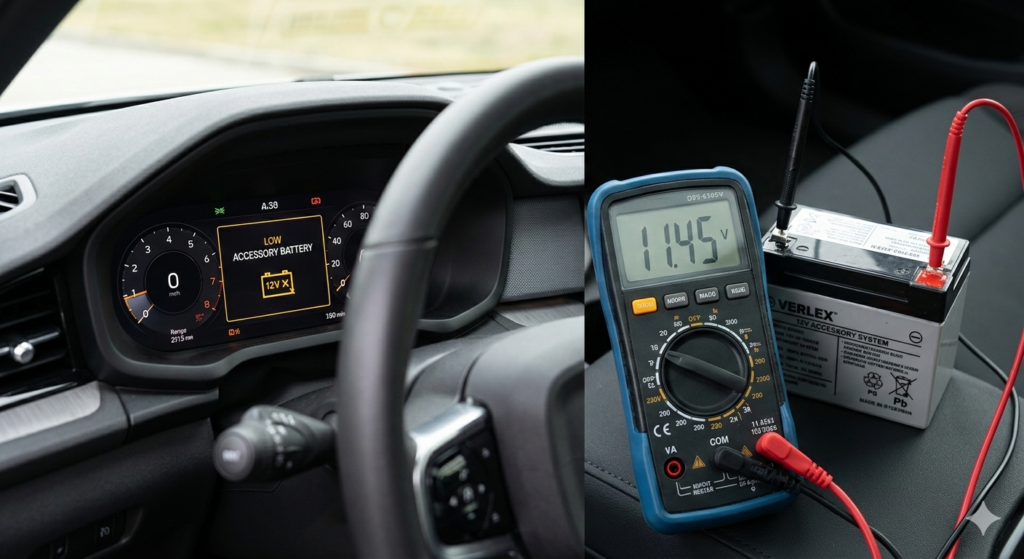
If you drive a Tesla, Rivian, or any modern electric vehicle (EV), you’ve probably heard the horror stories. A driver installs a high-end dash cam, enables parking mode, and wakes up to a “12V Battery Low” warning or a bricked car. At Autoixpro, we’ve spent months testing the power draw of 2026’s top dash cams on various EV platforms.
The truth? Most of the fear comes from outdated information. While EV parking mode does draw power, the “battery drain” issue usually stems from poor installation or choosing hardware that wasn’t designed for the sensitive electronics of a New Energy Vehicle.
Myth vs. Reality: Why Your EV is Different
Traditional gas cars use a heavy lead-acid battery mainly for cranking the engine. In an EV, your massive high-voltage battery pack actually keeps a much smaller 12V (or 16V in newer Teslas) accessory battery topped up.
The “drain” happens when a dash cam pulls more current than the car’s DC-to-DC converter expects during sleep mode. If the voltage drops below a certain threshold, the car enters a “deep sleep” to protect the main pack, cutting off your remote App access and even your door locks.
3 Fatal Myths About EV Dash Cams
Myth 1: Hardwiring Always Voids Your Warranty
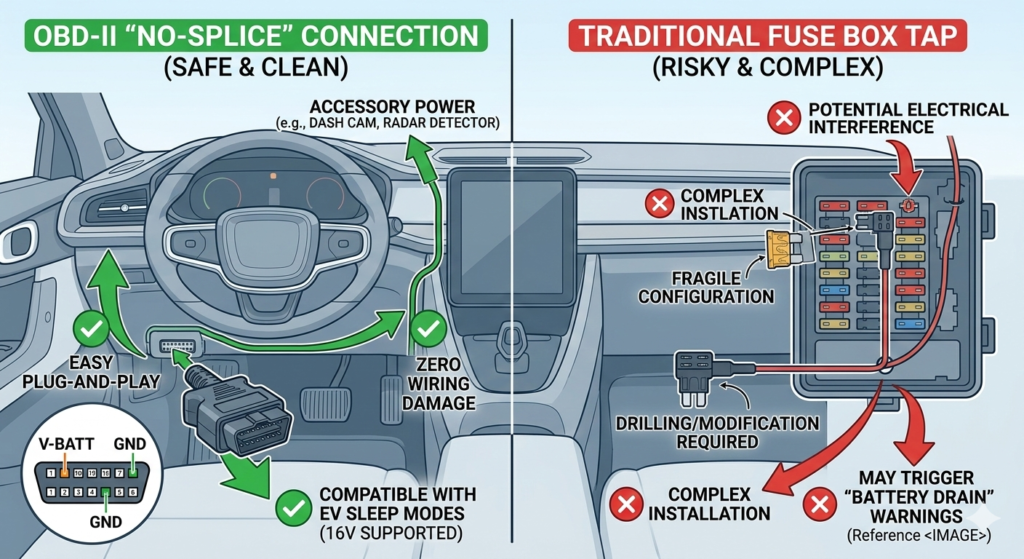
In 2026, most manufacturers won’t void your warranty just for adding a camera. However, they will deny claims if you “tap” into the wrong wire. To stay safe, always use a dedicated OBD-II power adapter or a fuse tap on a non-critical circuit.
Myth 2: “Sentry Mode” Makes Dash Cams Redundant
Tesla’s Sentry Mode is great, but it’s a power hog, consuming up to 300W. A dedicated low-power dash cam with radar detection can offer similar security while consuming less than 1/50th of the energy.
Myth 3: All Hardwire Kits are Created Equal
Standard kits cut power at 11.6V. For an EV with a lithium accessory battery (like the Tesla Model Y 16V system), that’s far too low. You need a smart kit with adjustable cut-off thresholds.
The “Best EV Dash Cam 2026” Checklist
To avoid a dead battery, look for these three specific specs before hitting “Buy”:
- Radar Motion Detection: Instead of the camera staying “on” to analyze pixels, a microwave radar wakes the camera only when physical movement is detected. This reduces standby power by up to 90%.
- 16V Compatibility: Ensure the internal voltage regulator can handle the higher 15.5V – 16V output of modern EV accessory batteries.
- HEVC (H.265) Compression: Higher quality video with smaller file sizes means the CPU works less, generating less heat and drawing less current.
48-Hour Power Consumption Test
We tested three popular setups on a 2026 EV platform to see how much “range” you actually lose.
| Recording Mode | Current Draw (mA) | 48-Hour Impact | Risk Level |
| Normal 4K Loop | 450mA | High (App Warning) | 🔴 High |
| Time-Lapse (1fps) | 220mA | Moderate | 🟡 Medium |
| Radar Detection | 15mA | Negligible | 🟢 Safe |
Pro Tip: The “No-Splice” Installation
For 2026, the cleanest way to install is via the Rearview Mirror Power Tap. Many EVs have a powered USB port or a 10-pin connector behind the mirror. This allows for a “plug-and-play” setup that looks factory-installed and doesn’t mess with your car’s complex wiring harness.
FAQ: Keeping Your EV Charged and Protected
- Can I use an external battery pack? Yes. Using a LiFePO4 dash cam battery pack is the safest way to guarantee zero drain on your car’s electrical system.
- Will the car’s “Over-the-Air” (OTA) updates kill the camera? Sometimes. If your camera is plugged into a port that resets during an update, it might reboot, but it won’t damage the hardware.
- How do I know if my 12V battery is dying? If your infotainment system takes longer than usual to “wake up,” or your keyless entry becomes laggy, check your camera’s voltage settings immediately.
The Verdict
Does parking mode kill EV batteries? Only if you use the wrong equipment. By choosing a radar-based camera and a smart voltage-cutoff kit, you can enjoy 24/7 protection without ever seeing a “low battery” warning again.